-
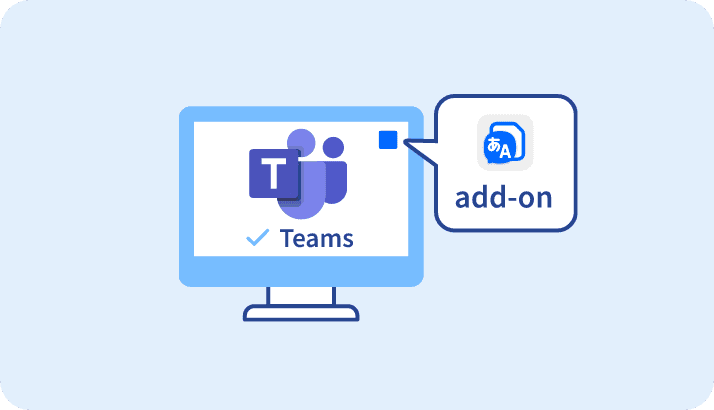
Teams Edition
Use Real Time Translator as an add-on within the Teams app.
Seamlessly integrated into Microsoft Teams.
To use real-time translation and transcription without leaving the Teams environment. -

Desktop Edition
For online meetings, face-to-face meetings, and presentations
You can manage the meeting entirely from your own device.
With flexible subtitle display and layout options. -
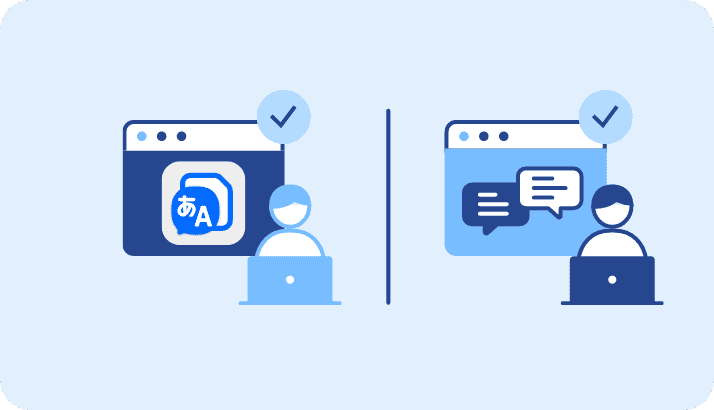
Web Edition
Use directly in a web browser—
no installation required
It is ideal for environments where software installation is restricted or when participants are unable to install or use a dedicated translation tool.
Real Time Translator Basic Features
FEATURESThree Editions to Suit Your Usage Scenario.
Three Editions to Suit Your Usage Scenario.
We offer three editions—Teams, Desktop, and Web Editions—designed to fit different meeting formats and usage environments.
Choose the edition that best suits your meeting style and participants’ environments to make the most of real-time voice translation and transcription across a wide range of business situations.
BASIC FEATURES
Real Time Translator Basic Features
- Officially recognized as a Microsoft Teams application.
- Separate recognition of your voice and the other speaker’s voice
- Patented, easy-to-use subtitle display (Japan and US Patent).
- Simultaneous translation display in up to 3 languages.
- Accurate translation even for industry-specific terms with AI learning + dictionary function.
- Sharing of transcriptions and translation contents both inside and outside the organization.
Official Microsoft Teams App
Display translation content while sharing the screen
Successfully passed rigorous third-party certification for Microsoft Teams.
Integrated as a dedicated chat window within Microsoft Teams, enabling multilingual web conferencing.
Highly rated by users in Japan and internationally.
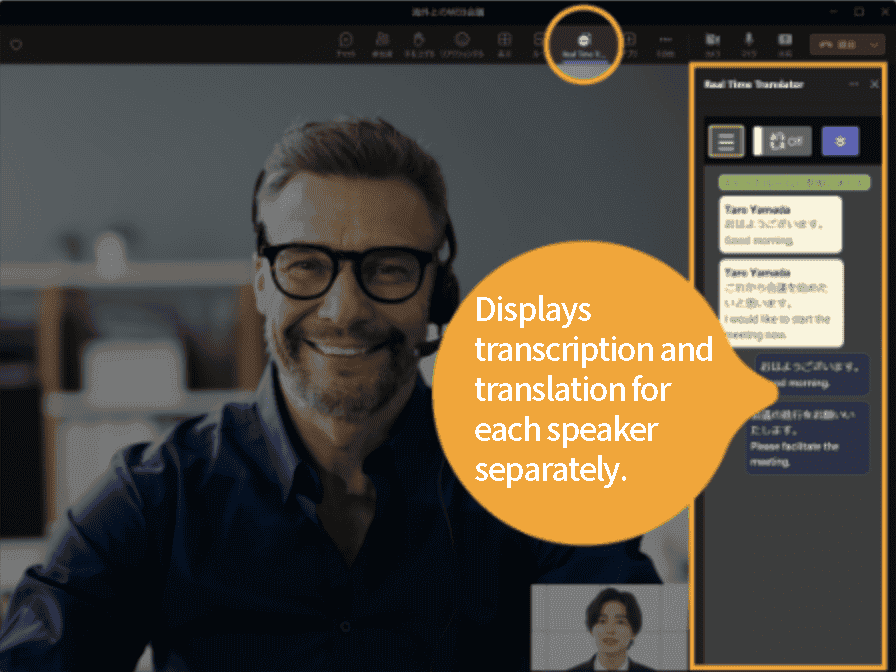
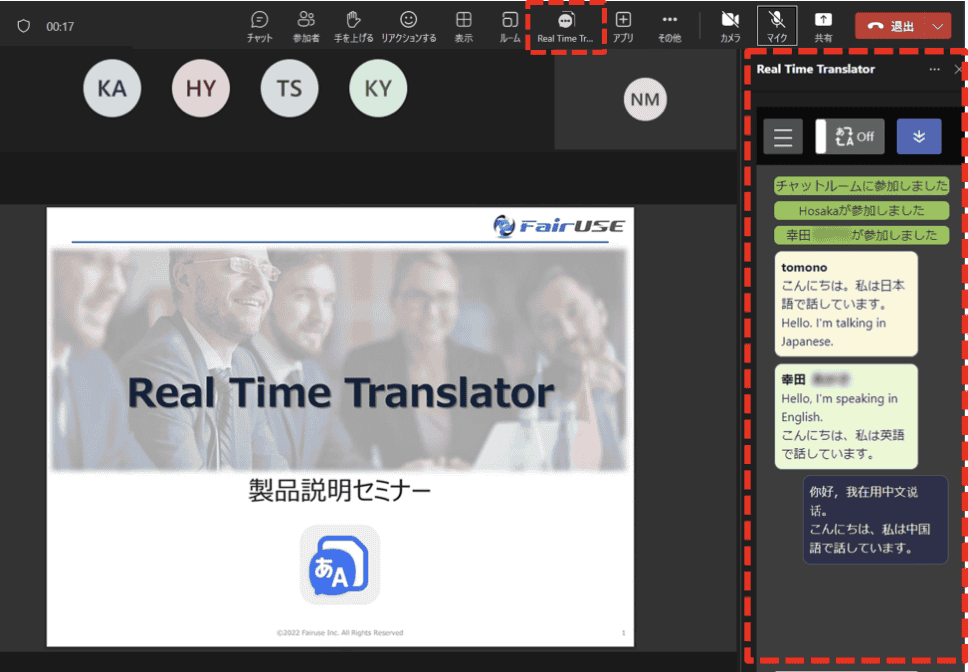
Separate Recognition of Your Voice and the Other Speaker’s Voice
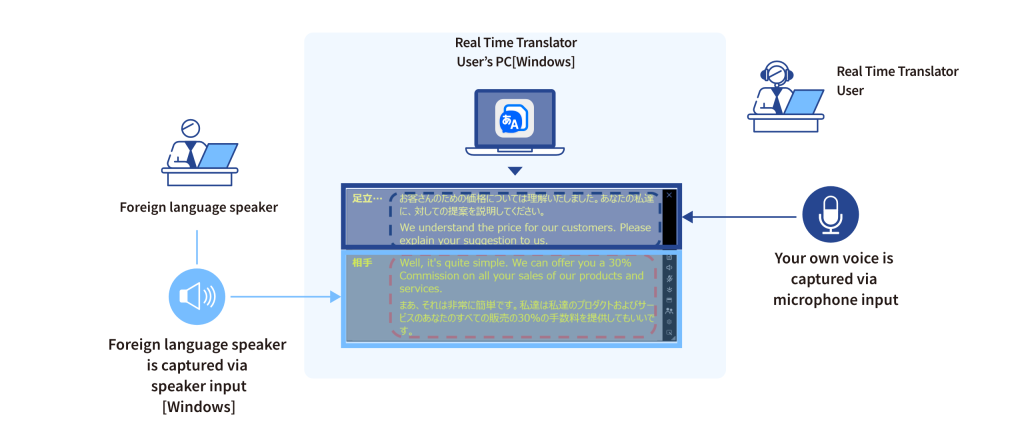
Translate the other speaker’s voice in real time from your own device—no action required on their side.
The system captures “your voice” and “the other speaker’s voice” separately at the system level, enabling real-time transcription and translation.
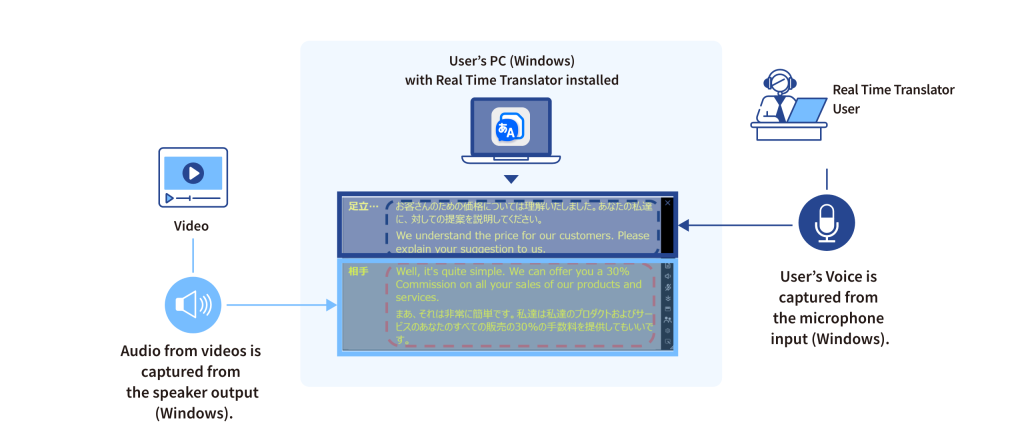
You can translate the audio from the other participants in online meetings, as well as audio from overseas webinars and videos played on your PC, in real time from your own device.
No action or software installation is required on the other side. You can use real-time translation entirely from your own device.
Customizable Subtitle Display (Japan and US Patent Obtained)
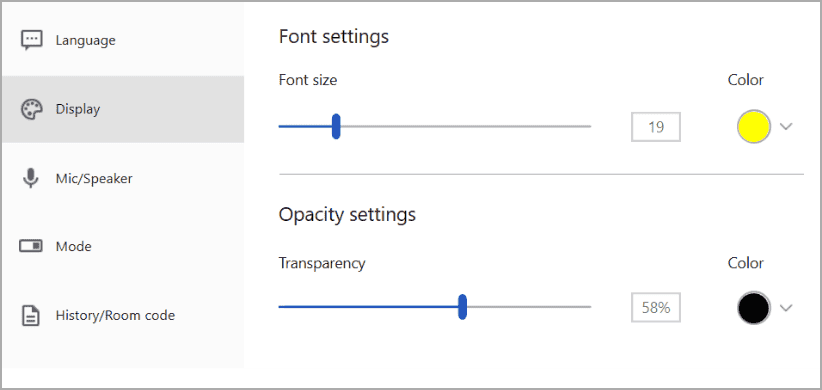
Subtitle text size, color, background transparency, overall size, presentation mode, etc., can be finely customized according to the actual usage scene.
Additionally, it includes text input within subtitle display and conversation content copy functions.
We develop optimal features based on hearing the actual usage needs of our customers.
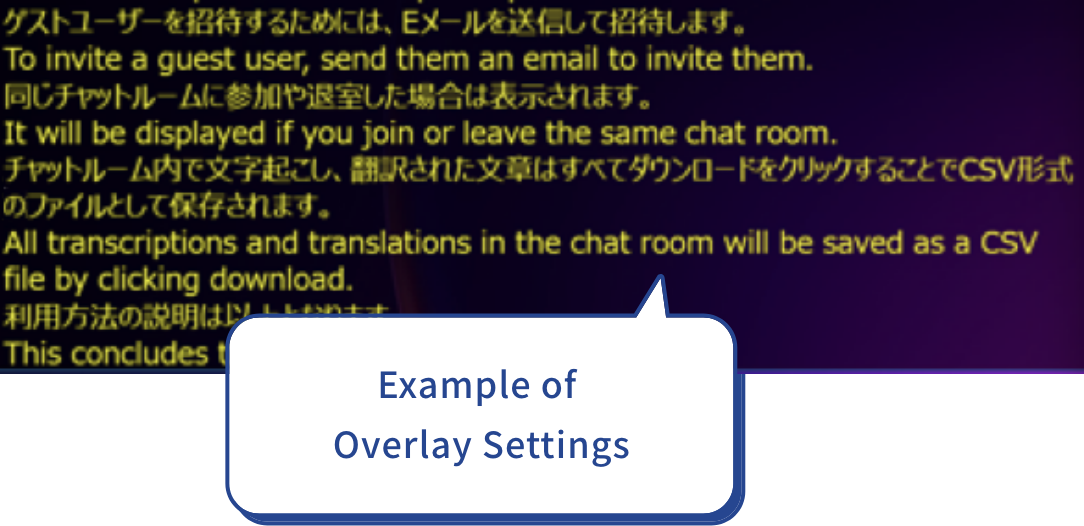
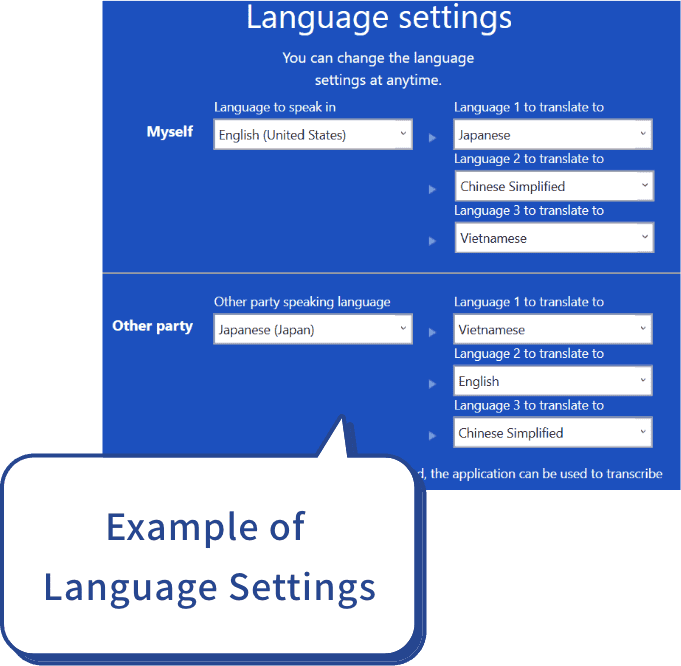
Display up to 3 Translation Language
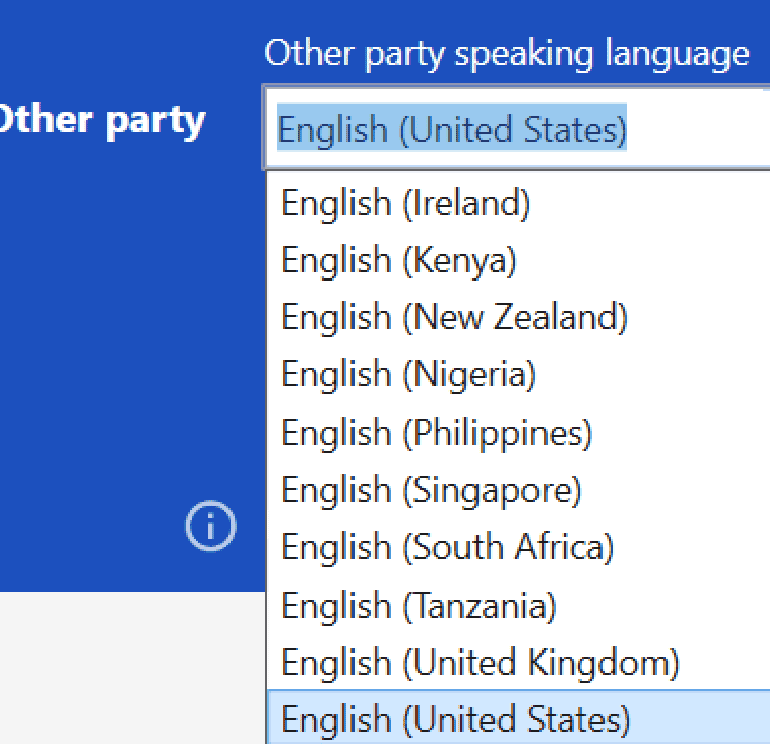
Supports recognition of 138 languages and translation of 131 languages
In addition to major languages such as Japanese, English, Chinese, and Vietnamese, it also supports minor languages like Ukrainian.
Furthermore, detailed language settings are possible, such as American, British, and Indian English, as well as Mandarin and Cantonese Chinese.

AI Recognizes Industry-Specific Terms in Fields Such as Manufacturing, IT, and Medical
Achieve highly accurate translation by combining an industry-specific terminology dictionary with AI-powered transcription correction
Microsoft’s high-accuracy AI recognizes conversations containing specialized terminology.
Japanese-English terminology dictionaries support company-specific and project-specific terms.
※ AI-powered transcription correction improves the recognition of specialized terms and proper nouns, enabling more accurate transcription and translation.
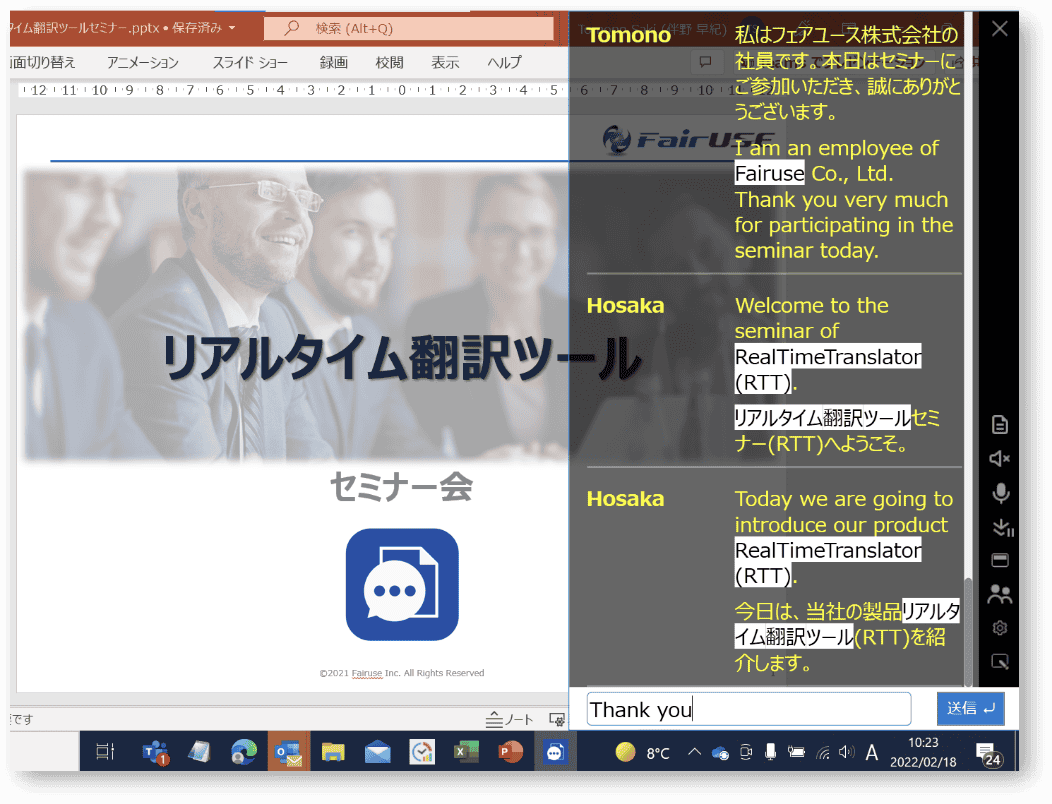
No Problem Even If the Other Party Does Not Use the Tool.
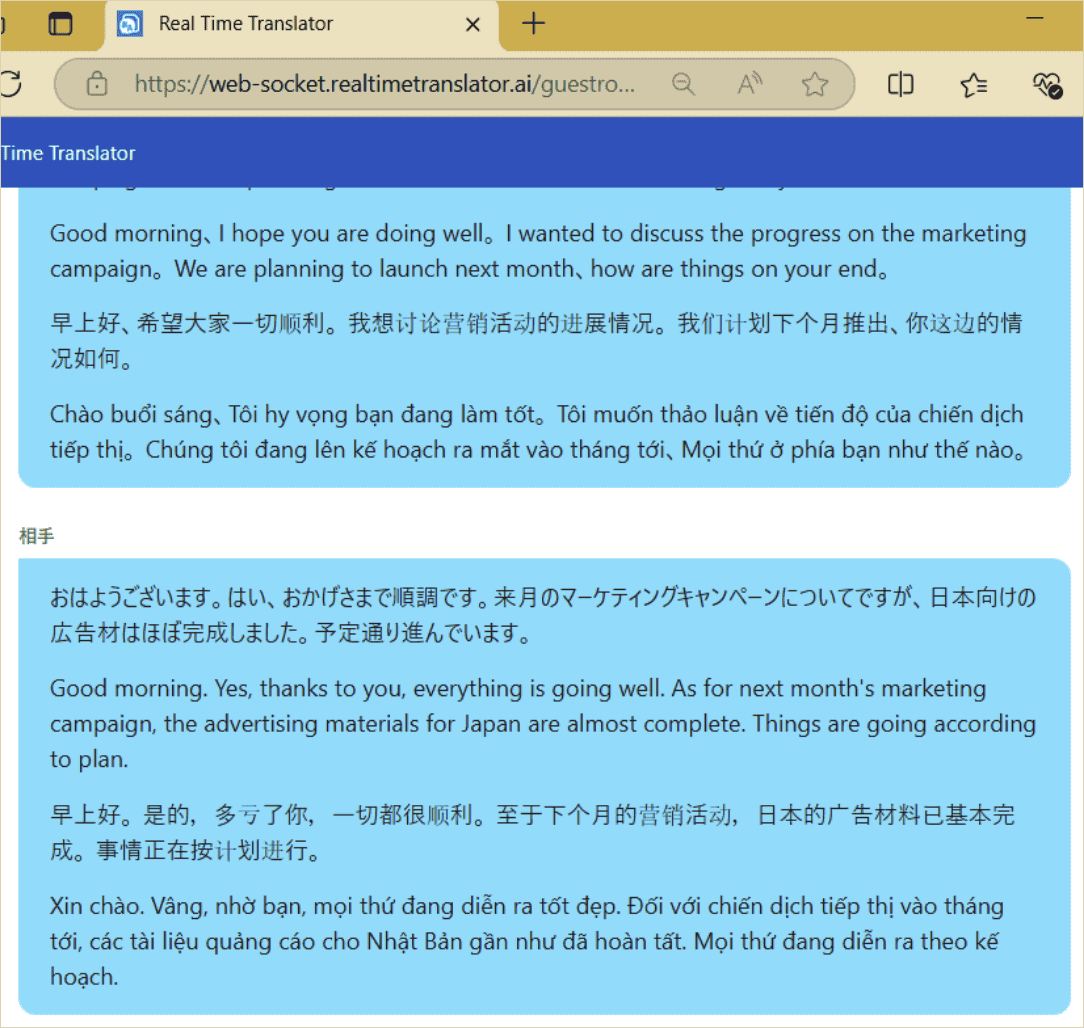
Share meeting transcriptions and translations with anyone, inside or outside your organization.
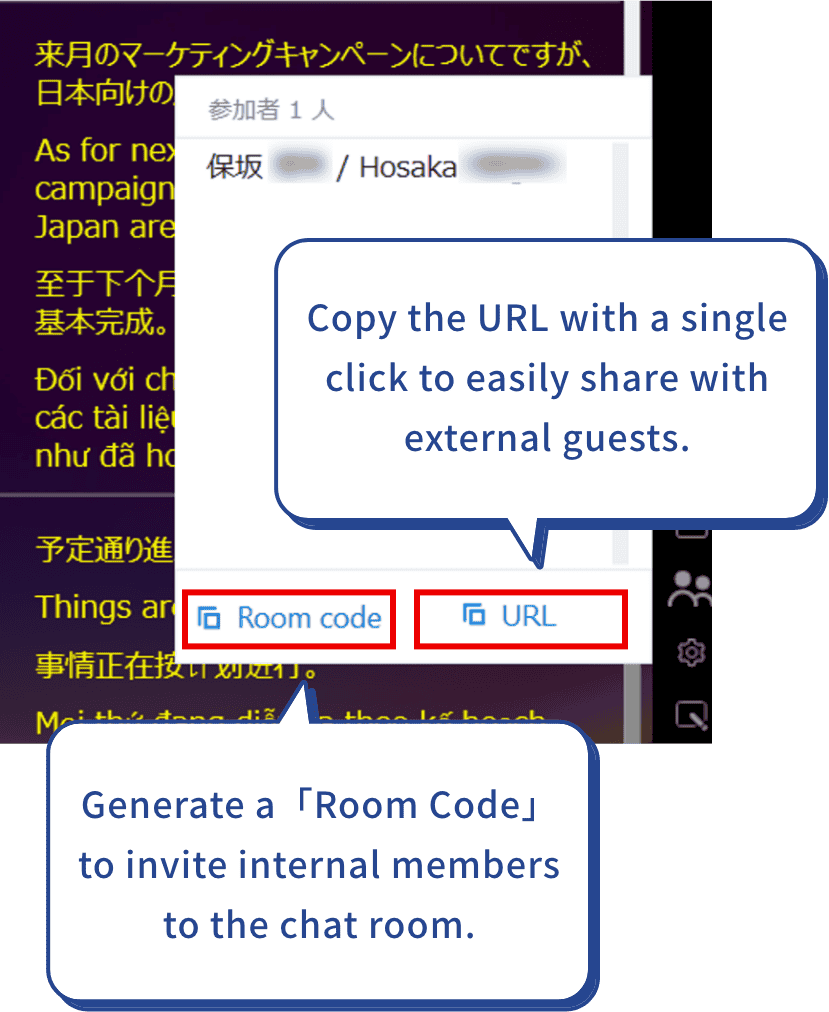
Share Room Code to invite internal members to the chat room.
Simply share the meeting URL to let participants view transcriptions and translations in real time—even if they do not use Real Time Translator.
Find out more about Real Time Translator here.
OTHER FUNCTION
Real Time Translator Other features of Real Time Translator


USE CASE
Use Cases of the Real Time Translator
- Smooth Multilingual Meetings for 3+ Languages – With Automatic Language Detection
- Real-Time Voice Translation with Automatic Language Detection for Face-to-Face meetings
- AI Meeting Assistant for Automatic Meeting Minutes Summarization
- Real-Time Speech-to-Text Software for Hearing-Impaired Individuals
- Smart Glasses Real-Time Translation | Seamless Multilingual Communication
- Simultaneous Interpretation in Multilingual Web Meetings
- Real-Time Translation for Videos and Webinars
CASE STUDY
Real Time Translator - Implementation Success Stories
Trusted by 500+ Publicly Listed Companies, including:
-

Tanabe Pharma Corporation
Tanabe Pharma Corporation (formerly Mitsubishi Tanabe Pharma Corporation), founded in 1678, is one of Japan’s most established pharmaceutical companies. The company focuses on the research, manufacture, and sale of prescription pharmaceuticals. As part of its global expansion strategy, Tanabe Pharma utilizes Real Time Translator during online meetings with overseas group companies and international partners. The solution is also deployed as a communication support tool for employees with hearing impairments. By enabling real-time transcription and translation, Real Time Translator has accelerated decision-making and significantly improved operational efficiency across the organization. Below, we share insights from our interview regarding the background, implementation process, and ongoing utilization of Real Time Translator.
Learn More
-

Milbon Co., Ltd.
Milbon Co., Ltd. is a cosmetics manufacturer specializing in hair care products, hair coloring, and perm solutions for salons. The company operates both in Japan and abroad, with a strong focus on the professional beauty industry. Within its International Business Division, Milbon has implemented Real Time Translator to facilitate meetings with overseas staff and international salons. This has allowed them to capture voices from each region in real time, with all conversation logs automatically recorded, significantly streamlining international operations. Below is an interview conducted approximately four months after the implementation of the tool.
Learn More
-
AbbVie GK
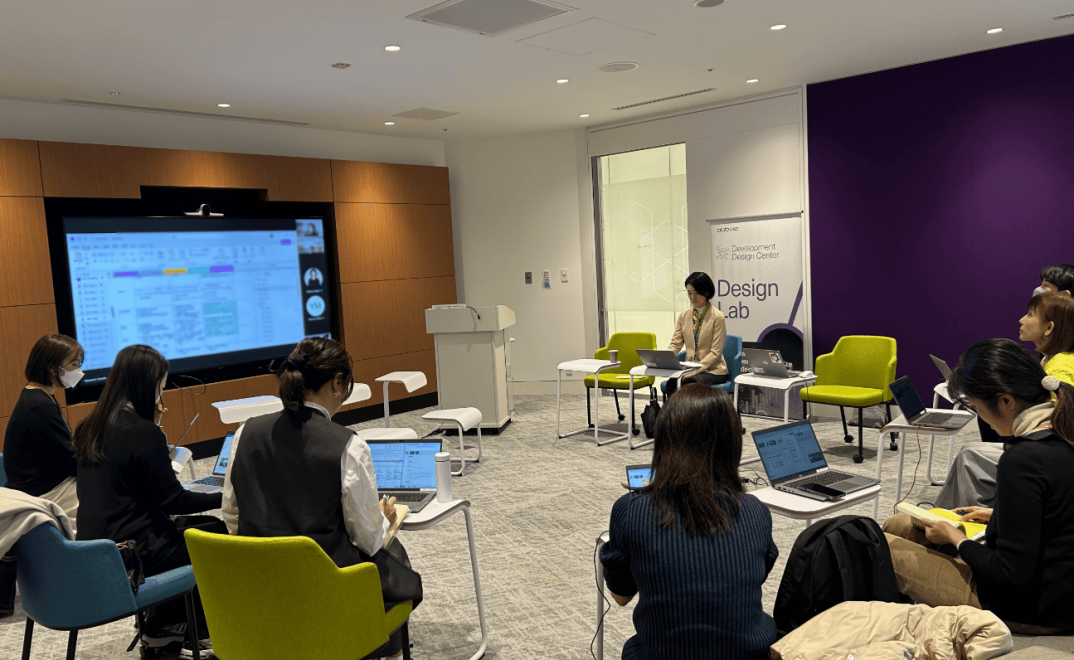
AbbVie GK, a global pharmaceutical company headquartered in the United States, has introduced Real Time Translator to create an inclusive work environment for employees with hearing impairments. By utilizing the tool, real-time transcription during meetings and internal communication has become possible, with features such as speaker identification and script downloads. This implementation has significantly improved workflow efficiency. Below is an interview about the background and effects of introducing the tool.
Learn More
FAQ